-
Billing
- What Are Copier Meter Readings and Why Are They Important?
- How to Request a Copy of an Invoice or W-9, etc.
- What Information to Include with a Billing Question
- Why Your Invoice Amount Changed
- How to Update Your Billing Contact
- How to Update Your Billing Address
- Where to Send Payments
- Why Lease Billing and MCC Service Billing May Be Separate
- How to Apply Tax-Exempt Status
- How to Read and Report Your Copier Meter
-
Service
-
- How to Add Postage to Your Meter
- How to Update the Postage Rate on a Quadient iX Postage Meter
- What to Do If Your Postage Meter Won’t Connect
- What Happens When USPS Postal Rates Change?
- How to Prevent Mail Feeding Problems
- Why Envelopes Are Not Sealing Properly
- How to Clean or Maintain a Mailing Machine
- How to Replace Ink in a Postage Meter
-
- How to Set Up or Reset Voicemail
- How to Use the Webex App for Calls
- How to Add or Remove Users from Your Webex Phone System
- What to Do If Your Desk Phone Is Not Working
- How to Change Your Voicemail Greeting
- How to Forward Calls from Your Desk Phone
- How to Transfer a Call
- How to Place a Caller on Hold or Park a Call
-
-
- Why aren't my printers showing up in Elevate Sky?
- Why can't I see my print job in the Elevate Sky Queue tab?
- Why can't I change certain printing options?
- Why did my Elevate Sky printers disappear after I signed out?
- What should I do if Elevate Sky stops working after a client update?
- Why isn't my badge working to sign in to Elevate Sky?
- How do I add a new administrator to Elevate Sky?
- How do I add new users to Elevate Sky Print Management?
- How do I assign printers to users or groups in Elevate Sky?
- How do I configure print policies in Elevate Sky?
- How do I set up print quotas in Elevate Sky?
- What Are Copier Meter Readings and Why Are They Important?
- Why Scan to Email Stopped Working
- What to Do When Your Printer Shows Offline
- How to Read and Report Your Copier Meter
- How to Order Toner or Supplies
- What to Check Before Placing a Copier Service Call
- How to Find Your Copier Serial Number or Equipment ID
- How to Clear a Paper Jam Safely
- Why Your Copier Says It’s Out of Paper When the Tray Is Full
- How to Fix Common Print Quality Problems
- Scan to Email Stopped Working
-
- How to Request Service from MCC
- What Information to Include in a Service Request
- How to Use the MCC Express Passport
- What is the Express Passport?
- How to Order Toner or Supplies
- How the MCC Service Process Works
- When to Request Service vs Contact Your Sales Rep
- How to Check the Status of a Service Request
- How Remote Support Works
- What to Do Before Moving MCC Equipment
-
-
Solutions
-
-
-
-
-
- Articles coming soon
-
- Articles coming soon
-
- Articles coming soon
-
- Articles coming soon
-
-
-
- Articles coming soon
-
- Articles coming soon
-
- Articles coming soon
-
- Articles coming soon
-
- Articles coming soon
-
- Articles coming soon
-
-
- Articles coming soon
-
- Articles coming soon
-
-
-
-
- Articles coming soon
-
-
- How do I install Elevate Sky Print Management on my computer?
- How do I sign in to Elevate Sky Print Management?
- What do the Config, Queue, and Printers tabs do in Elevate Sky?
- What is Elevate Sky Print Management (ESPM)?
- Where can I find my Elevate Sky printer login credentials?
- Why should I stay signed in to the Elevate Sky client?
-
- How do I print a document using Elevate Sky?
- How do I release a secure print job at the printer?
- How do I print from the Elevate Sky cloud print queue?
- Can I print my document from a different printer than the one I originally selected?
- How long do documents remain in the Elevate Sky cloud print queue?
- How do I change advanced print settings in Elevate Sky?
- How do I add a printer using an Elevate Sky Quick Code?
-
- How do I scan a document using Elevate Sky Print Management?
- How do I scan a document to my email address using Elevate Sky?
- How do I scan a document to another person using the Elevate Sky address book?
- Can I scan documents directly to Microsoft OneDrive using Elevate Sky?
- What scan settings can I change in Elevate Sky?
- Are scanned documents stored in the Elevate Sky cloud?
-
- Why aren't my printers showing up in Elevate Sky?
- Why can't I see my print job in the Elevate Sky Queue tab?
- Why can't I change certain printing options?
- Why did my Elevate Sky printers disappear after I signed out?
- What should I do if Elevate Sky stops working after a client update?
- Why isn't my badge working to sign in to Elevate Sky?
-
- How do I view print activity and usage reports in Elevate Sky?
- Can Elevate Sky automatically email printing reports?
- How do I monitor printer supply levels and errors in Elevate Sky?
- How does Elevate Sky calculate estimated printing costs?
- How do I use accounting codes to track printing costs by department or project?
- What Is Managed Print Services?
- What is Elevate Sky Print Management (ESPM)?
- How do I install Elevate Sky Print Management on my computer?
- How do I sign in to Elevate Sky Print Management?
- Where can I find my Elevate Sky printer login credentials?
- What do the Config, Queue, and Printers tabs do in Elevate Sky?
- Why should I stay signed in to the Elevate Sky client?
-
-
-
- Articles coming soon
-
- Articles coming soon
-
- Articles coming soon
-
Image Widget
The image widget lets you add pictures to your content. Learn more about Supported File Types.
Properties > Widget > Main
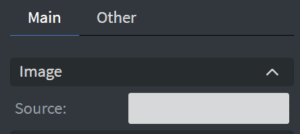
Image
Under the Image Menu you can set the source picture of the widget. Selecting Bind to Data lets you set a datasource as the image source.
Size & Position
In the Size & Position menu, you can adjust the width, height, and position of the widget.

Proof of Play
Proof of play is a reporting system, that allows you to gain report about used assets. If you turn on widget statistics you can report information about the displayed duration,number of displays and interaction events of this widget. If you turn on asset statistics you can report information about the displayed duration, number of displays and events of each media asset inside this widget
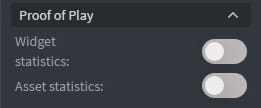
Image Properties Other
Properties > Widget > Other
Effects
- Image Fit: Select the fit of the image. Choose from Stretch, Contain, Cover
- Cover: the image will be scaled up or down to completely fill the space which can result in the image being cropped
- Contain: The image is called to fit within the space without cropping. Depending on the aspect ratio, this can result in empty space around the image.
- Stretch: the image is stretched to fit the space without regard to the aspect ratio. This can result in the image being distorted.
- Background: select an image to use as the background of the widget
- BG Color: Select the background color of the widget
- Shadow: add shadow to the widget
- Border: add a border to the widget
- Click Through: Enable to allow click-through the widget and allow interaction with the widgets behind this one
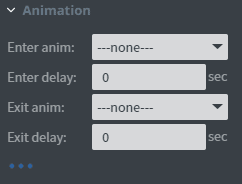
Animation
From the Animation Menu you can set the entrance and exit animation.
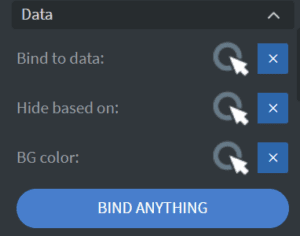
Bind to Data
Bind the widget to a datasource to automatically update the image.
- Bind to Data: Select the datasource
- Hide Based On: Hide the widget based on data from the datasource
- BG Color: Select a background color based on data from the datasource
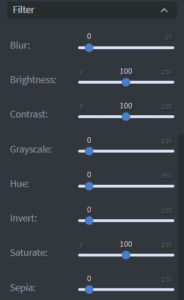
Filter
Adjust the image properties with the Filter Menu.